Strength for runners and triathletes

Strength that fits your training

Pick a programme, design one on your iPhone or import your own, and Chassis places every session around your swims, rides and runs.

Coming to the App Store See how it works

For iPhone, with your Apple Watch if you wear one. Free to use, with Chassis Pro for more.
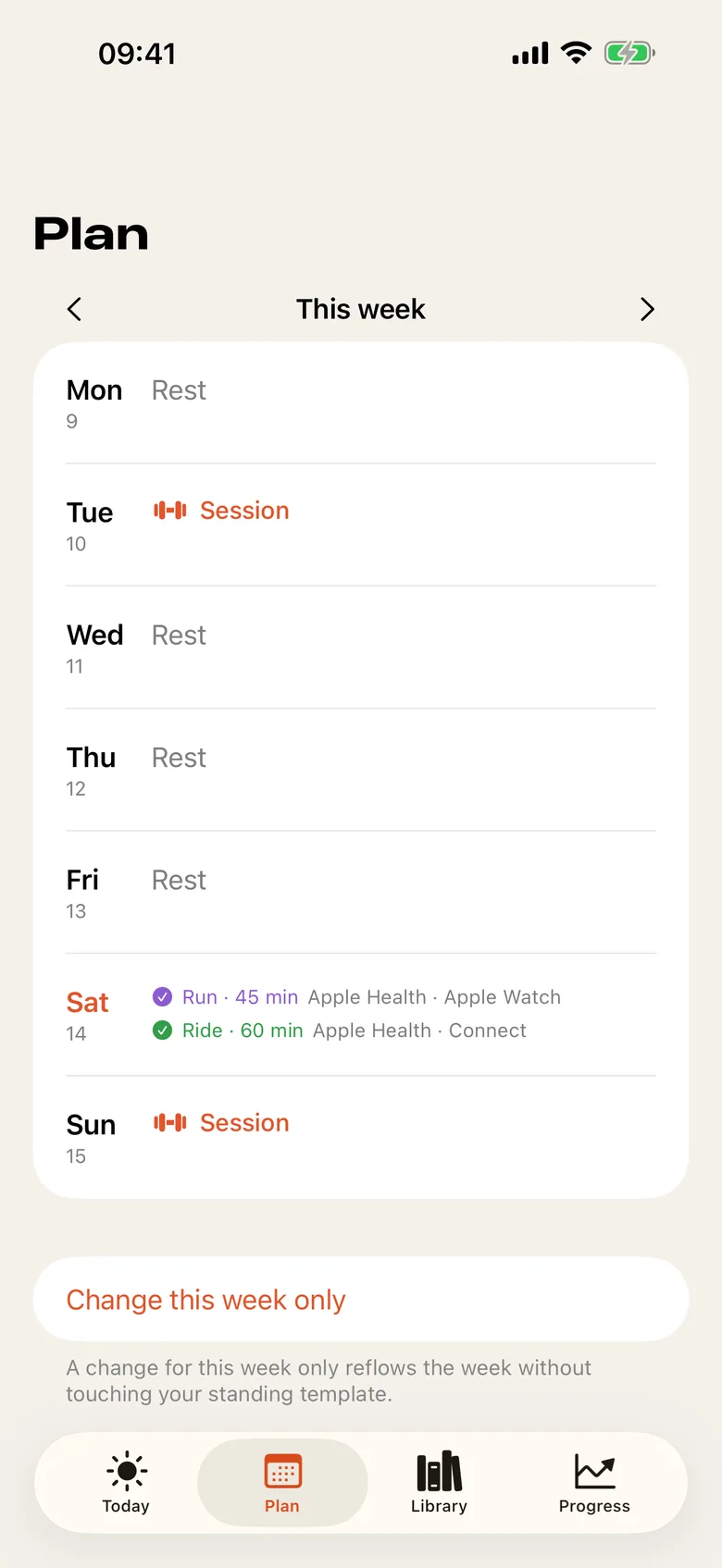
The Plan screen for this week: strength sessions on Tuesday and Sunday, rest days between, and Saturday's run and ride read from Apple Health.

Three ways to get a programme

Chassis is the strength half of your training. It starts with a programme, and it does not mind where the programme comes from.

Pick

Choose one of twelve templates for runners and triathletes, from a runner's foundation to a marathon block.

Design

Give your goal, days, equipment and level. Your iPhone builds the programme, and you check every exercise before it starts.

Import

Photograph a sheet, share a PDF, a screenshot or a link, paste text or dictate it.
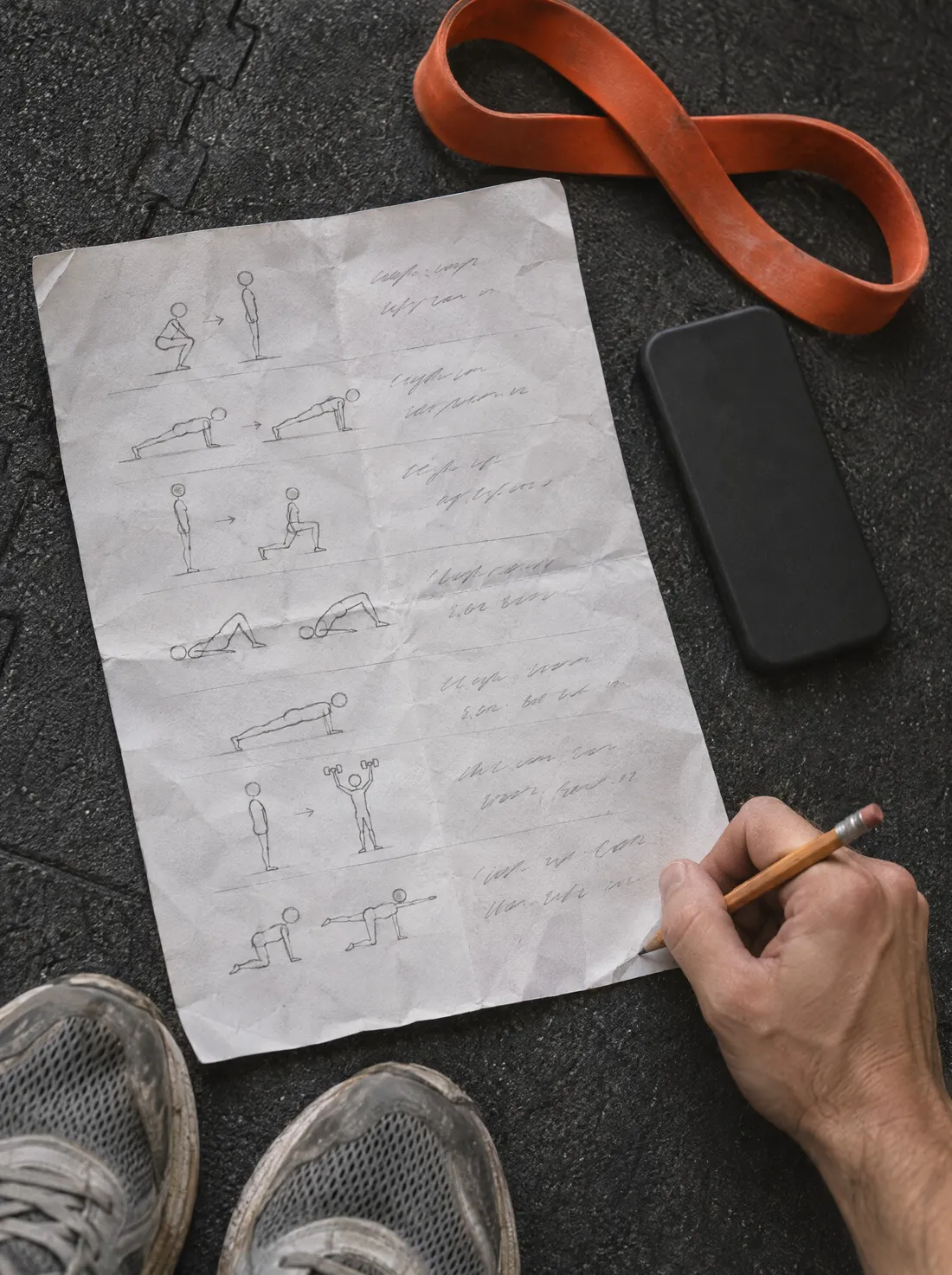
A hand-drawn programme sheet on a gym mat, with a pencil, a phone face down and a resistance band.
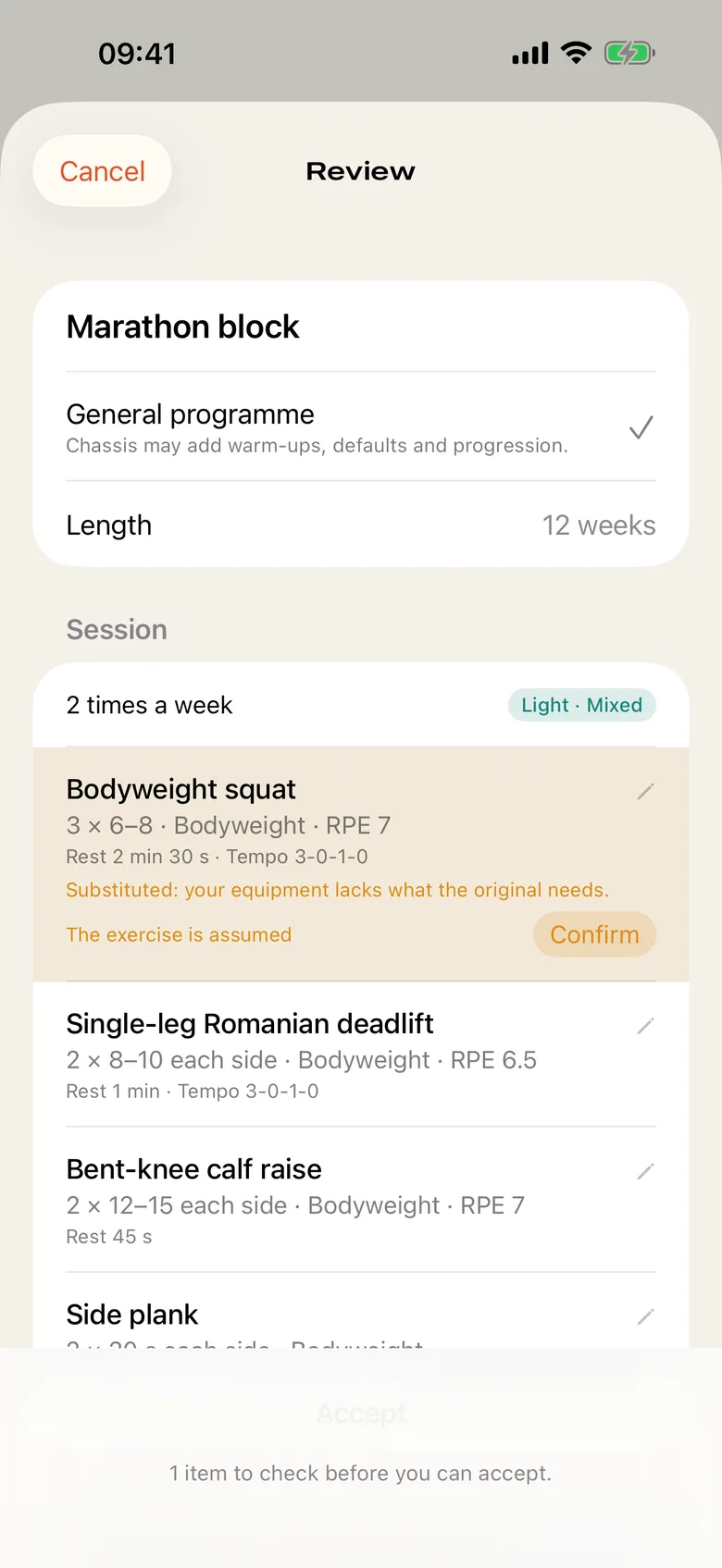
The Review screen for an imported programme: each exercise with its sets, reps and rest, one marked as assumed with a Confirm button, and one item left to check before Accept.
Chassis shows what it read and what it assumed, field by field. Nothing starts until you accept it.

A plan that fits your week

  • Reads your workouts from Apple Health to learn your week.
  • Keeps heavy sessions away from your key workouts and long days, and tells you why each session is where it is.
  • Moves with you when the week changes, and holds back before a race.
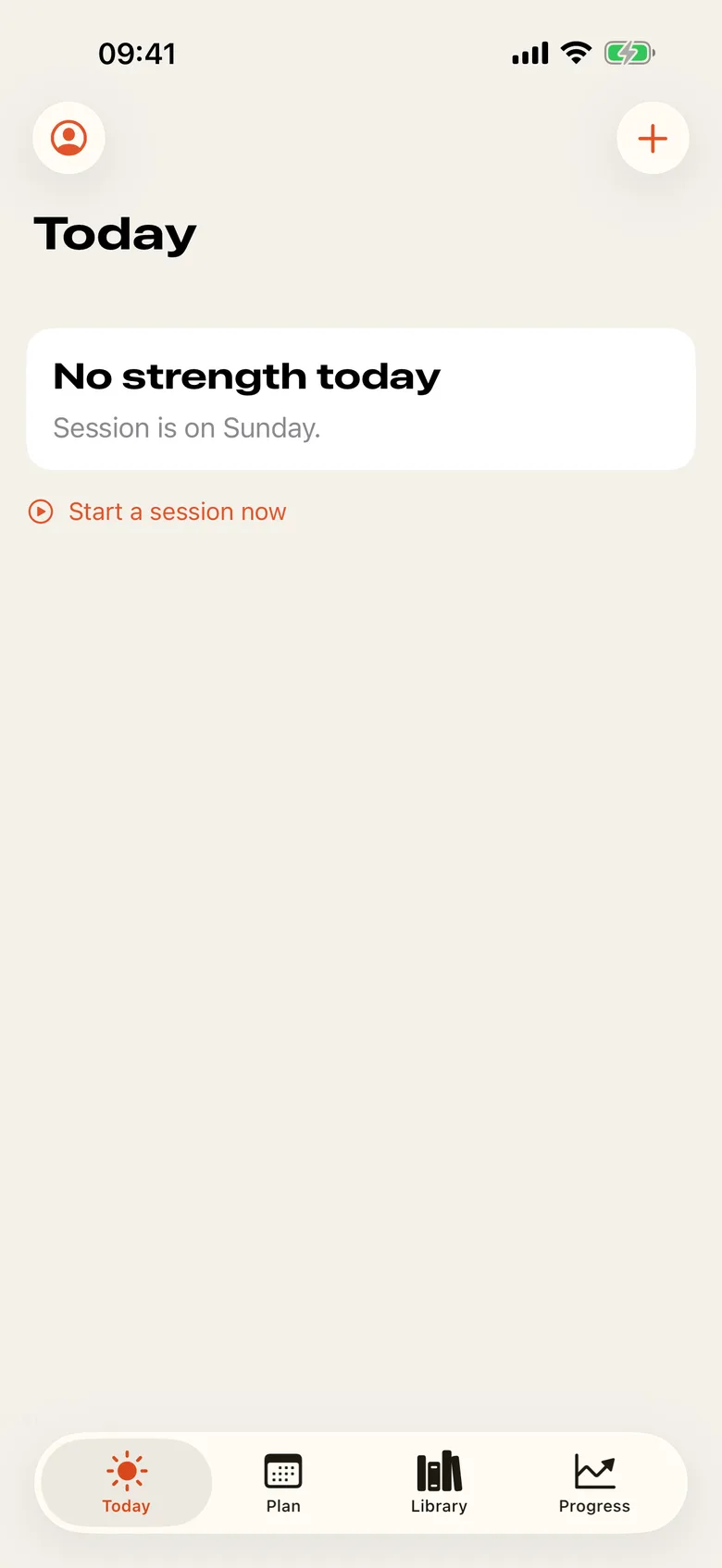
The Today screen: no strength today, the next session is on Sunday, and a button to start a session now.

In the session

  • Rep counters, rest and work timers, a tempo cue and a voice coach, so your phone can stay in your pocket.
  • Instructions and an animated figure for every exercise in the library.
  • A Live Activity for the rest timer, and your Apple Watch mirrors the session with your heart rate.
  • Each session is saved to Apple Health as a strength workout.
A runner lacing a shoe on a doorstep at dawn, a kettlebell beside him.
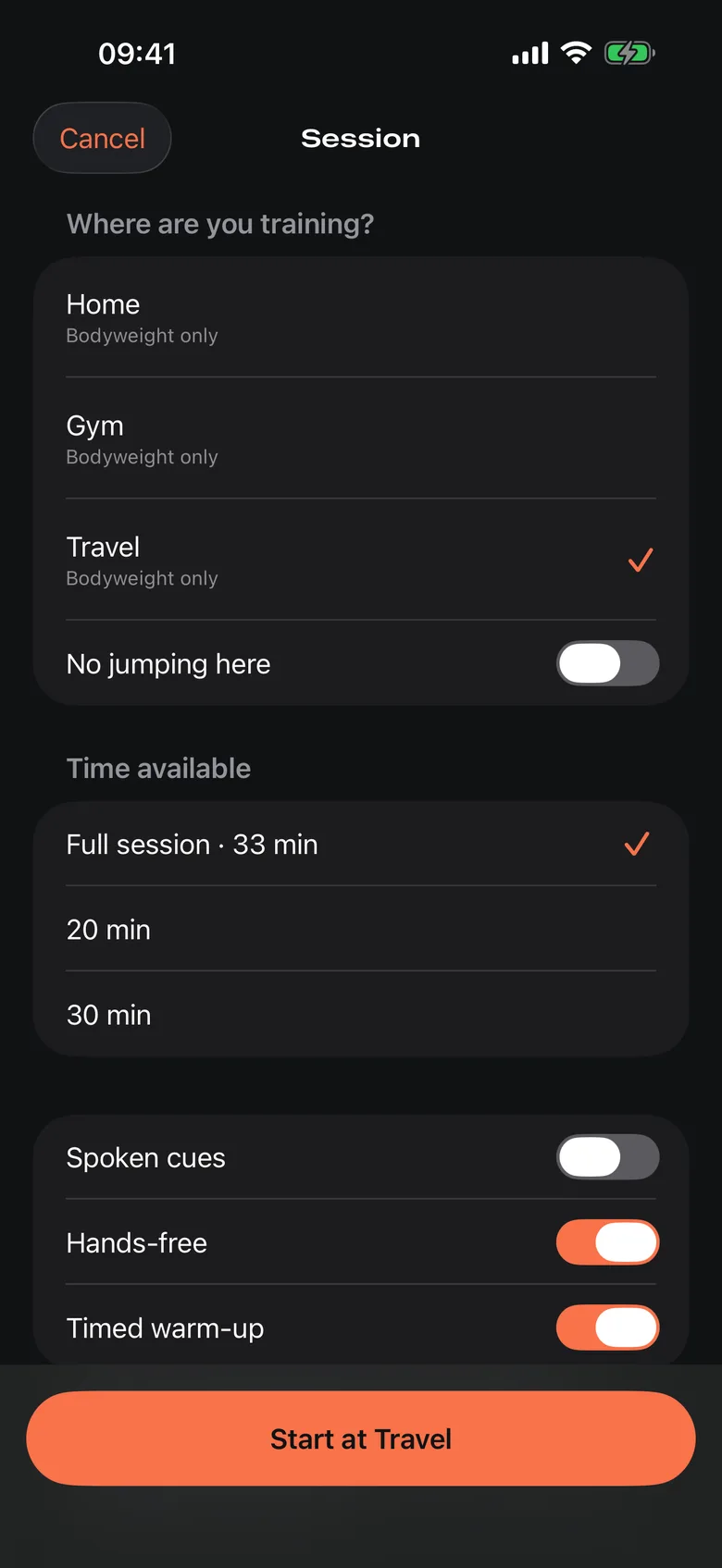
The session's first screen: where you are training, with Home, Gym and Travel, the time available, and switches for spoken cues, hands-free and a timed warm-up.
Say where you are training and how long you have. The session follows the equipment you have there.
A runner resting on a bench between sets, two dumbbells on the floor.
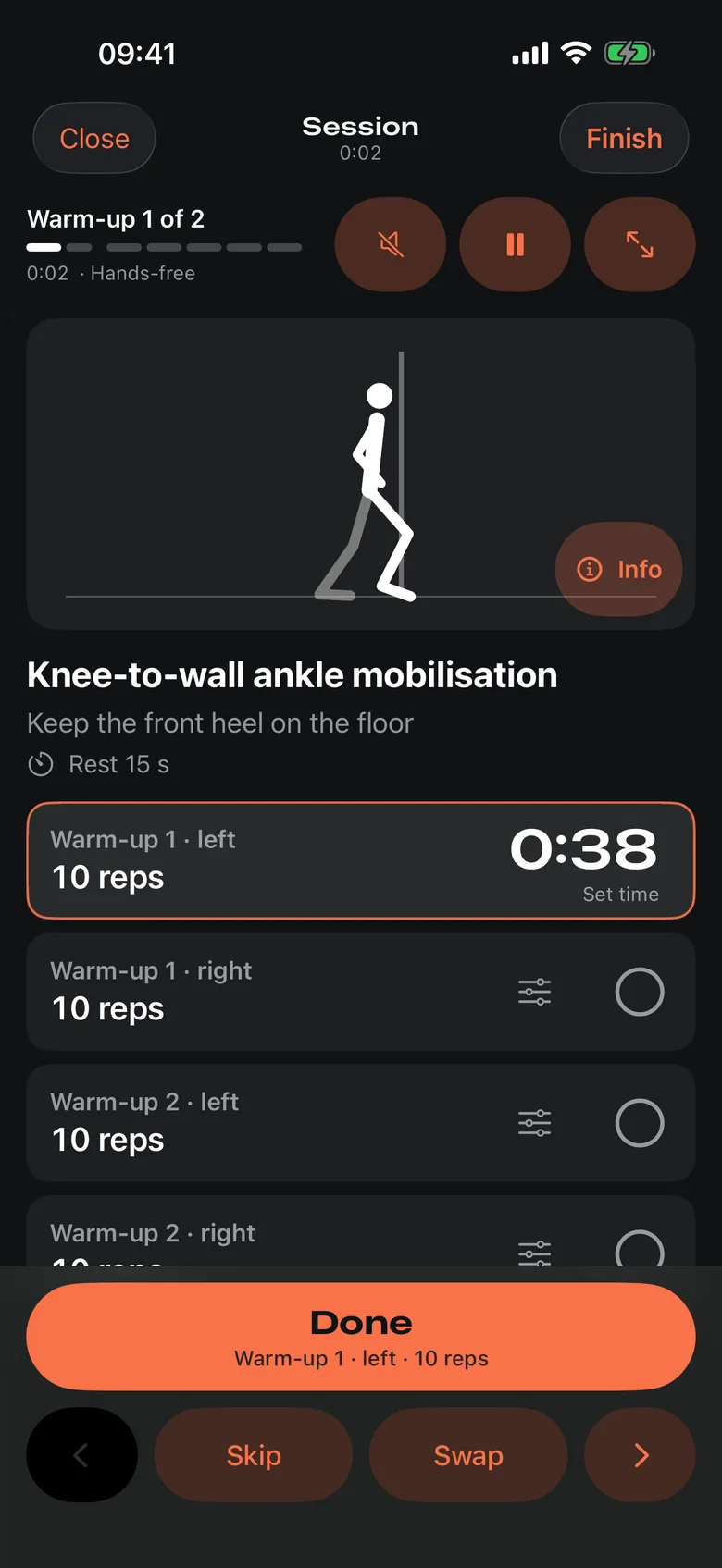
A session under way: a warm-up exercise with its animated figure, a timer running on the first set, and one full-width Done button.
A timer on the set, one button for what comes next, and a hands-free mode for when the phone is out of reach.

Progress you can see

  • Progression rules that move you on when you have earned it, never by guesswork.
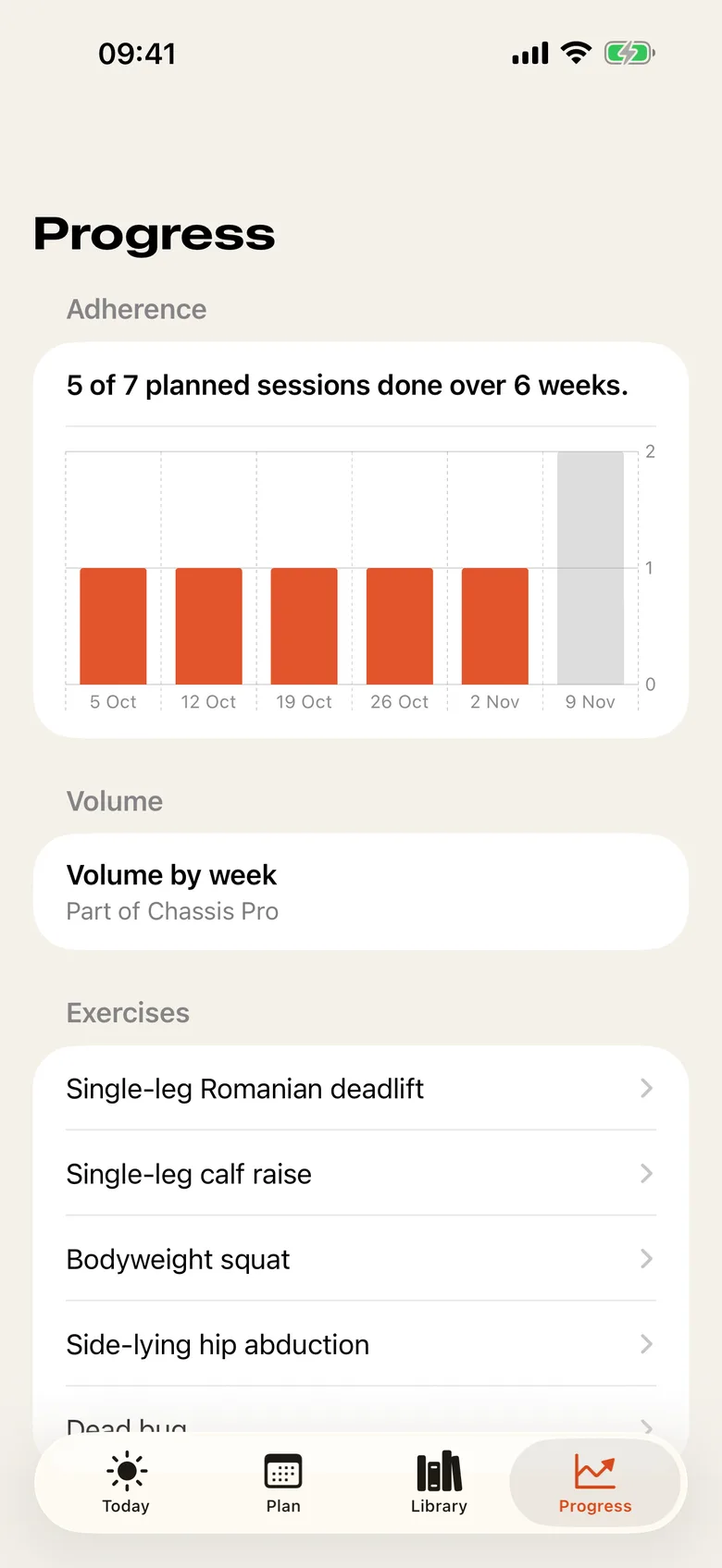
  • Records, adherence and strength trends for every exercise.
  • A prompt when an exercise has stalled, with a variation to swap to.
The Progress screen: five of seven planned sessions done over six weeks, shown week by week, and a list of exercises to open.

Rehab, by your clinician's rules

  • Import the programme your physiotherapist wrote and Chassis follows it as written: the pain limits, stop rules and progression gates are theirs.
  • Log pain set by set. Chassis shows the rule when a score crosses it, and you decide whether to carry on.

Chassis is a training log and scheduling tool. It does not diagnose, treat or recommend treatment. Talk to a clinician about pain or injury.

Private by default

On your iPhone

Reading, designing and scheduling happen on your iPhone.

Health data stays put

Health data never leaves your iPhone.

Nothing to sign up for

No account needed. No ads and no tracking.

Read the privacy policy

Free, and Chassis Pro

Free

Your programme, a rehab programme, scheduling, sessions, records and export are free and stay free.

Chassis Pro adds

  • Two programmes at once.
  • Volume by week.

Chassis Pro is an auto-renewing subscription, monthly or yearly, each with a 14-day free trial for new subscribers. Payment is charged to your Apple Account when the trial ends and at each renewal. It renews automatically unless you cancel at least 24 hours before the end of the period, and you can manage or cancel it in your App Store account settings. Terms of Use · Privacy policy

What you need

An iPhone with iOS 26 or later. Designing and importing with the on-device model need an iPhone with Apple Intelligence. On other iPhones you can pick a template or build a programme by hand.

Coming to the App Store